Travelling Mexico with Zenler: Lead Product Educator Archive
 David Zenler
Archived Zenler travel and creator workflow notes from Travelling Mexico with Zenler: Lead Product Educator Archive, with lessons for building and managing an online course business remotely.
Travelling Mexico with Zenler: Lead Product Educator Archive
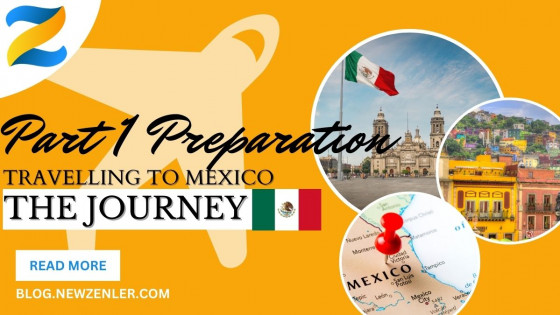
Hi, David, Lead Product Educator at Zenler here. I warmly welcome you to my adventure blog, which will be packed full of pictures of my wife and me on our adventures.
Quick answer: what is this Zenler Mexico archive?
This is the opening 2023 travel archive from Zenler's lead product educator working remotely while travelling through Mexico. It is a behind-the-scenes creator-life post about preparation, technology, remote work, and running online education work outside a fixed office.
Read it as historical story content. For current Zenler product details, pricing, features, and tutorials, use the live Zenler site and the current resource hub.
Join me on my journey through Mexico, travelling from January 1 to the end of February 2023. This guide will show you the problems I encountered while trying to work. I'm sure there will be lots of unforeseen adventures along the way because one thing we know for sure is that you never know what's around the corner!
Preparation is key to successful work abroad adventures. I'm not just talking about passports, money, and route planning, but also about what's important to you guys: the tech!
Archive date: 19 December 2022

Now, the key element here is to travel light, so small and powerful. I've opted for the ASUS Zen Flipbook. At 13 inches, it's light and powerful enough to get the job done, and it also has excellent battery life. (Note to self: remember the travel adaptors!)
Laptop Specs: ASUS ZenBook Flip OLED UX363EA 13.3" Intel EVO Convertible Laptop (Intel i7-1165G7, 16GB RAM, 1TB SSD, Backlit Keyboard, Windows 11). Includes Stylus, USB-C to Audio Jack.
But what about monitor real estate? No worries, I also have a second lightweight monitor, a Bluetooth mouse, along with headphones and speakers thrown in for good measure! (I'll be using the laptop's built-in camera and mic most of the time).
As is the Zen way, I will test out all the gear one week before departure.
Now, onto files. All files will be backed up to a cloud drive, and essential Zoom backgrounds, etc., are also stored locally on the machine.
The last thing to make sure I pack is my Zenler T-shirts and any swag that I need to take with me.
✔️ So, Check on Gear and Swag!
Why You Should Do a Dry Test
Before traveling, it's always a good idea to road test equipment beforehand. Not only does this pinpoint any potential problems, but it also gives you peace of mind that you have all the equipment you need to set up your studio the way you want it.
In my case, I chose a particularly noisy pub in my hometown of St Ives, 'The Golden Lion.' Now, obviously, in a hotel environment, I won't have loud music and people gradually getting louder with more alcohol consumption.
I also chose lunchtime, as that's when it's at its busiest, which was probably not the best idea, as my final conclusion was not good! But, having said that, I now know what level of noise is manageable and what the equipment can deal with in terms of noise reduction, etc.
What I found was that excessive background music is definitely not good. Sitting too close to loud people and generally being in a pub or fun-type situation is not ideal.
I will mainly be in a community open space, and as I get up early, it will most definitely be quiet. The battery life of the computer is about four to five hours, even with the two monitor drain, so that is absolutely fine if there is no power.
The camera copes well in low light levels, and having the headphones and mic built-in will be an asset if I'm speaking or doing anything interactive.
The rucksack I got can just about squeeze in my camera and laptop with the screen, but it's tight. I can live with that for sure, and in any case, I intend to leave my laptop in the hotel during trips, so no dramas there.
The internet in town was not that good, but the test Zoom session at 720 was fine, with a slight stuttering at 1920, so that will be a factor for any live work I do in terms of streams or sessions.
All in all, a successful venture, and I feel much more confident in the hardware, so no last-minute additions or changes are needed.
Continue with the Mexico travel archive series below
Related Zenler travel archive and creator resources
- Travelling Mexico with Zenler: Puerto Escondido Archive
- The Ultimate Zenler Resource Hub for Course Creators
- Creator tech stack 2026
- A live tour of Zenler over 11 sessions
FAQ
What can course creators learn from Travelling Mexico with Zenler: Lead Product Educator Archive?
This archive-style post shows how creators can work, publish content and manage an online education business while travelling or working remotely.
Why are travel and creator workflow posts useful?
They show practical realities such as planning content, staying consistent, using online tools and keeping a course business moving from different locations.
How does Zenler support remote course creators?
Zenler supports remote creators with online course delivery, pages, email, funnels, live sessions and community tools that can be managed online.
Categories: : Customer Stories
Copyright © 2026 Zenler. All rights reserved.
Terms | Privacy Policy | Cookie Policy | Support
