Segment by Skill Level in Zenler
 David Zenler
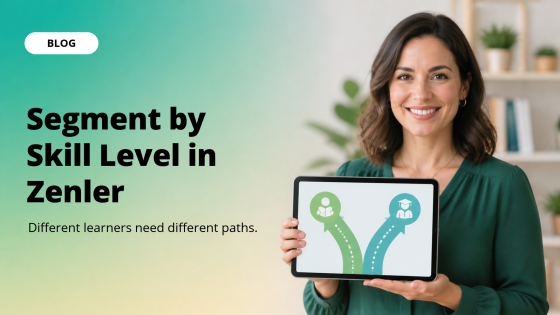
Segment learners by skill level so beginners and advanced students follow the right path and get a more relevant course experience in Zenler.
Segment by skill level when learners arrive with different starting points. Beginners need foundations and reassurance. Advanced learners need shortcuts, deeper tasks, and less hand-holding. Clear paths make both groups feel seen.
The title matters because it points to a decision, not just a slogan: Different learners need different paths. For course creators teaching mixed groups of beginners, improvers, and advanced learners, that decision can change how people understand the offer, trust the creator, and take the next step.
The practical aim is simple: help creators make each learner feel guided without rebuilding the whole course without adding noise, extra tools, or unnecessary complexity.
Why This Matters Now
Creators are publishing in a noisy market. Buyers have seen polished pages, generic AI content, vague promises, and endless course launches. What cuts through is not more volume. It is a clearer answer to a real problem.
The common mistake is forcing every student through the same pace and then wondering why some feel bored while others feel lost. It may feel productive in the moment, but it often makes the learner or buyer do too much mental work.
When the message, product, and learning path are specific, people can understand the value faster. They know whether the offer is for them. They know what result to expect. They know why they should trust the next step.
This is where a strong Zenler setup helps. The page, course, checkout, email, community, and student journey can stay connected, so the creator is not constantly stitching together scattered tools just to deliver one clear promise.
How To Apply It In Zenler
Start with one focused move: create a quick self-assessment, label beginner and advanced routes, and tell each learner where to start. Do not turn this into a giant rebuild. Make one change that improves clarity, then check whether people respond better.
Here is the idea in practice: A photography course can send beginners to camera basics while experienced learners jump straight to lighting challenges. That kind of specific example is what makes the blog, page, course, or campaign feel useful rather than abstract.
Inside Zenler, look at the full journey. Does the page make the promise obvious? Does the lesson deliver a quick win? Does the email follow-up answer the next doubt? Does the offer tell people what happens after they click?
If any step feels fuzzy, simplify it. A good creator business does not need every possible feature switched on at once. It needs the right feature doing the right job at the right moment.
What To Include
Include the direct answer early. Readers should not have to scroll for three minutes before they know what you believe and what they should do next.
Include proof or a practical example. That might be a client story, a lesson breakdown, a before-and-after, a workflow, a template, a student result, or a simple explanation of why your method works.
Include one next action. If the reader is interested, do they know what to do now? If the student is inside the course, do they know what to complete next? If the buyer is on the page, do they know why the offer fits?
The best version feels direct, calm, and useful. It does not overhype the point. It explains why the point matters and gives the reader a way to act on it immediately.
Also include context. Tell the reader when this advice applies and when it does not. That stops the article from feeling like generic creator advice and makes it easier for the right person to recognise themselves.
Finally, connect the idea to the business result. Better lessons, clearer pages, stronger proof, better segmentation, or more focused offers are not just tidy improvements. They affect trust, completion, conversion, retention, and the creator's ability to keep selling without burning out.
A Simple Zenler Workflow
Turn the idea into a workflow rather than a loose intention. Start with the page or lesson where the problem appears. Identify what the reader or learner is trying to do at that moment. Then remove anything that distracts from that job.
Next, add the smallest support asset that helps the action happen. That might be a checklist, a replay, a certificate standard, a mobile-friendly lesson, a short email sequence, a segmentation question, or a more specific landing page.
Then connect the next step. If the person is a lead, guide them toward the offer. If they are a student, guide them toward completion. If they are a member, guide them back into the community or next useful resource.
This is the part many creators skip. They publish the asset, but they do not connect the asset to a journey. Zenler works best when each piece has a clear job and each job leads somewhere useful.
An Example You Can Model
Imagine a creator applying this to the topic of segment online course learners by skill level. Instead of making a broad page or lesson, they start with the exact question their audience is asking and answer it plainly.
They then add one grounded example: A photography course can send beginners to camera basics while experienced learners jump straight to lighting challenges. From there, they add a practical next step so the reader can move from interest to action.
The result is not louder marketing. It is clearer marketing. The reader can see the promise, understand the proof, and decide whether the offer fits their situation.
That is what makes the blog more than a title. The title grabs attention, but the article has to earn it by giving the reader something they can use today.
What To Avoid
Avoid making the idea sound bigger than it is. Strong content does not need inflated language. It needs relevance, evidence, and a useful path forward.
Avoid copying generic advice without adding your own experience. The market already has enough flat content. Your edge is the judgment you bring from doing the work.
Avoid adding complexity just to look advanced. If a simpler page, lesson, segment, or live session gets the job done, use the simpler version first.
Avoid hiding the answer behind a long intro. Search readers and AI-assisted search summaries both reward content that gets to the point quickly and then supports the answer with depth.
Avoid treating every learner as if they have the same motivation, device, speed, confidence, and context. Better creator businesses make the journey easier for real people, not imaginary perfect students.
A Practical Checklist
Write the outcome in one sentence. Name who it is for. Name the situation where it matters. Name the mistake it prevents. Then add the smallest useful next step.
Check the mobile view, the headline, the first paragraph, the offer section, and the email follow-up. If the point is not obvious in each place, tighten the language.
Ask whether the content has an answer, an example, and a next step. Those three pieces turn a title into something useful.
Then publish the improvement. Momentum comes from shipping useful improvements, not endlessly polishing a version nobody has seen.
How To Measure It
Look for behaviour. Are people clicking, registering, replying, buying, finishing lessons, sharing wins, or asking better questions?
If nothing improves, locate the exact weak point. Traffic without opt-ins usually points to the page or lead magnet. Opt-ins without sales usually points to the offer or follow-up. Sales without progress usually points to lesson structure or support.
The goal is not to guess perfectly. The goal is to build a clean enough system that the next improvement becomes visible.
Related Posts
• How to create your first online course with Zenler
• Online course platform for creators
Ready To Put This Into Practice?
If you remember one thing, make it this: Different learners need different paths. Turn that into one practical improvement inside your Zenler setup today.
Ready to package your expertise and sell with more confidence? Try Zenler risk free for 30 days and use the Accelerator Program to guide your next move.
FAQ
What does Segment by Skill Level in Zenler mean?
Segment by skill level when learners arrive with different starting points. Beginners need foundations and reassurance. Advanced learners need shortcuts, deeper tasks, and less hand-holding. Clear paths make both groups feel seen.
How do I apply this without overcomplicating it?
Start with one focused action: create a quick self-assessment, label beginner and advanced routes, and tell each learner where to start Keep the first version simple, then improve it with real learner or buyer feedback.
Why does this matter for course creators?
It helps course creators teaching mixed groups of beginners, improvers, and advanced learners make each learner feel guided without rebuilding the whole course while making the learning or buying journey easier to understand.
How does Zenler help?
Zenler keeps pages, courses, checkout, email, community, webinars, and student access close together. That makes it easier to create a clear journey, test one improvement, and keep momentum.
Ready to create a course that guides every learner from the right starting point? Build, market, and sell your course with Zenler and manage your lessons, learner journeys, marketing, checkout, and student experience in one place.
Categories: : Online Course Creation
Copyright © 2026 Zenler. All rights reserved.
Terms | Privacy Policy | Cookie Policy | Support
